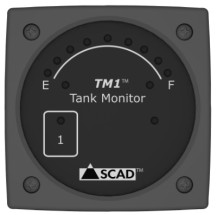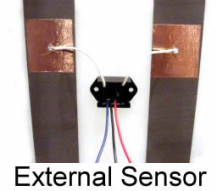
TM1 Tank Monitor with External Sensor
SCAD TM1 Tank Monitor with External Sensor
The SCAD TM1 is an easy to install and cost effective solution for monitoring the liquid level in tanks up to 30 inches tall by simply touching a pad. The system uses SCAD’s external stick-on level sensors or internal tube sensor that cannot get fouled. The monitor automatically checks and alerts when liquid levels are critical and provides external alert power.
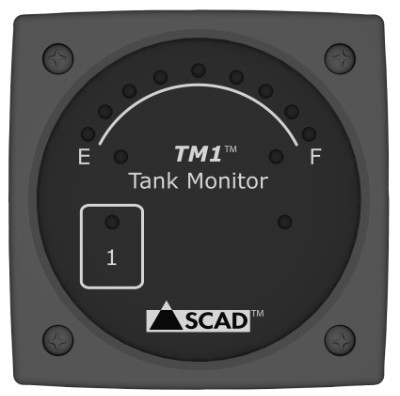
• Monitor one fresh water, grey water or waste tank.
• Easy to install sensors adhere to the outside of plastic and fiberglass tanks and cannot foul.
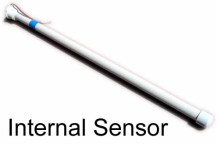
• Optional internal sensor available for metal tanks.
• Touch controls. No mechanical button to fail.
• Compatible with fuel float sensors.
• Compact surface mount display size - 2.2" square and 1/2″ hole required for wires.
• Continuous read function provides handsfree monitoring for filling or emptying tanks.
• Visual alarm for empty or full conditions.
• External alarm control.
• Accomodates all tank shapes.

Benefits:
• Easy to install, easy to operate, reliable and cost effective.
• External sensor eliminates fouling;
• Can be used with a variety of sensors.
SCAD External Sensor: External sensor adheres to the outside of the tank and cannot be fouled. It can sense through plastic and fiberglass tanks up to 1/2 inches thick up to 30 inches tall (can be positioned on taller tanks toward the direction of the alarm area). This sensor cannot be used on metal tanks.
Specifications:
Power: 12 and 24 volts DC.
Display size: 2.2 x 2.2 x 0.3 inches (56 x 56 x 7.6 mm).
Sensor type: SCAD monitors are compatible with SCAD external or internal sensors and with 240 to 33 Ohm and 10 to 180 Ohm float sensors commonly used for fuel.
Alarm: Visual alarm on empty or full, or no alarm. Power wire that provides 1 Amp at battery voltage can be set to energize on alarm condition.
For more information, manuals, and technical details, see SCAD's support page.